
What Is Sublyric? A Complete Guide to Features and System Requirements
What is Sublyric?
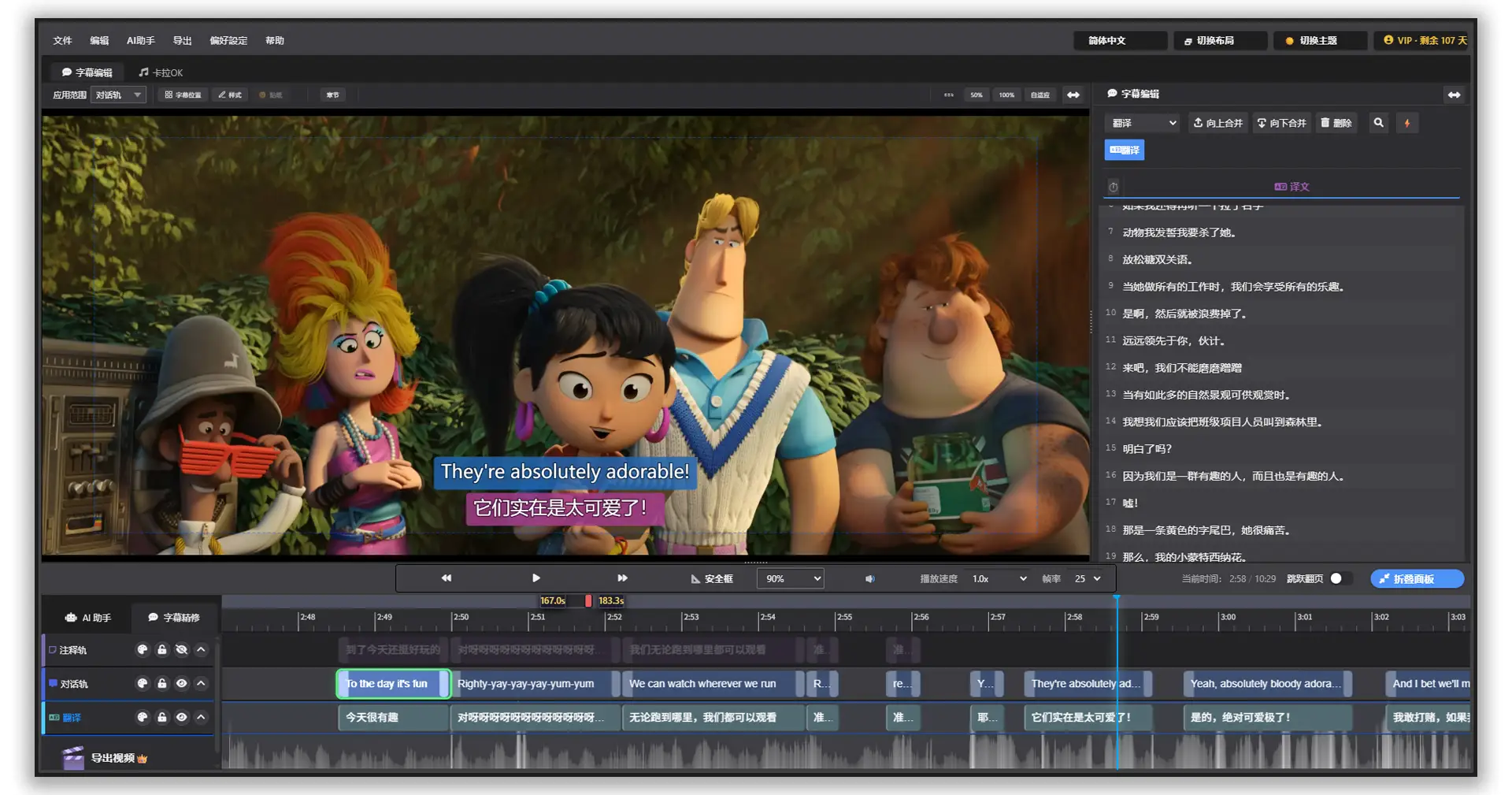
Sublyric is a professional subtitle and karaoke lyrics tool built around large AI models. Whether you're a video creator, part of a fansub team, or producing music videos, it covers the entire subtitle workflow, from raw video to finished product: speech-to-subtitles, multilingual translation, great-looking styles, and a final export with burned-in subtitles. It's all in one app, so you're not shuffling files between a handful of tools.
Core Features at a Glance
- AI Video Transcription: Turn the speech in your video into subtitles with one click. Multiple languages are supported, and VAD (voice activity detection) automatically filters out silent sections.
- AI Text-to-Timeline Alignment: Already have a transcript or LRC lyrics? Sublyric aligns the text to the video timeline for you. No manual timing needed.
- AI Smart Translation: A free translation engine is built in, and you can also connect the DeepSeek large model for high-quality translation between Chinese, English, Japanese, Korean, French, Russian, and more.
- Multi-Track Editing: The Dialogue, Translation, and Notes tracks are independent, so you can manage the original text, the translation, and your notes side by side.
- Karaoke Effects System: 50+ built-in presets and animation styles, with adjustable colors, outlines, glow, and shadows. You can even add flying emoji.
- Video Export: Choose from three modes (hardcoded subtitles, soft subtitles, or karaoke) and output to MP4 or MKV with full control over resolution and bitrate.
System Requirements at a Glance
| Item | Requirement |
|---|---|
| Operating system | Windows 10 / 11 (64-bit recommended) |
| Screen resolution | 1920×1080 or higher, with support for ultrawide and 4K displays |
| Network | Translation requires an internet connection; subtitle editing, transcription, and export work offline |
| Video formats | MP4 (H.264), MKV, MOV, AVI* |
*Some files require specific codecs.
💡 Tips
Sublyric is built on one idea: everything from creation to output, in one place. You can handle subtitling, translation, karaoke effects, and final video export without ever leaving the app.
FAQ
Q: Does Sublyric need an internet connection? A: Only for online translation. Core features like subtitle editing, transcription, and export all work offline.
Q: Which video formats does Sublyric support? A: All four mainstream formats: MP4 (H.264), MKV, MOV, and AVI.
Q: Is Sublyric free? A: Most features work without logging in, including subtitle editing, free translation, and SRT/ASS export. Sign up and log in to unlock member features such as the AI Assistant and video export with burned-in subtitles.
Next Step
Opened the app and found yourself staring at a lot of buttons? The next article walks you through the entire interface in five minutes, so you'll never get lost again.